How to Run a Cookie Audit on Your Website
59% of websites set cookies before consent. Learn how to audit your site's cookies step by step, what violations to look for, and how to fix them.
Your Website Probably Has More Cookies Than You Think
The average cookie audit reveals 40-60% more cookies than organizations expect to find. A typical website runs between 50 and 300 cookies, and roughly 60% of those are third-party cookies set by external services like Google Analytics, Facebook Pixel, or advertising networks.
That matters because 59% of websites set cookies before users even see the consent banner, according to a November 2025 study. Only 15% of the top 10,000 websites across 31 countries meet basic GDPR cookie compliance requirements. And regulators are noticing: France's CNIL issued over EUR 475 million in cookie fines in 2025 alone.
A cookie audit is the first step to understanding what your website actually does in the browser, not what you think it does.
What Is a Cookie Audit?
A cookie audit is a systematic review of every cookie and tracking technology on your website. It identifies what data is being collected, who is collecting it, whether users have given consent, and whether your cookie banner actually works as intended.
Under GDPR Article 5(2), you must be able to demonstrate compliance. Under Article 30, you must maintain records of processing activities. A cookie audit gives you both: documented proof of what your site does and evidence that you have taken steps to fix any issues.
Step 1: Scan Your Website Before Consent
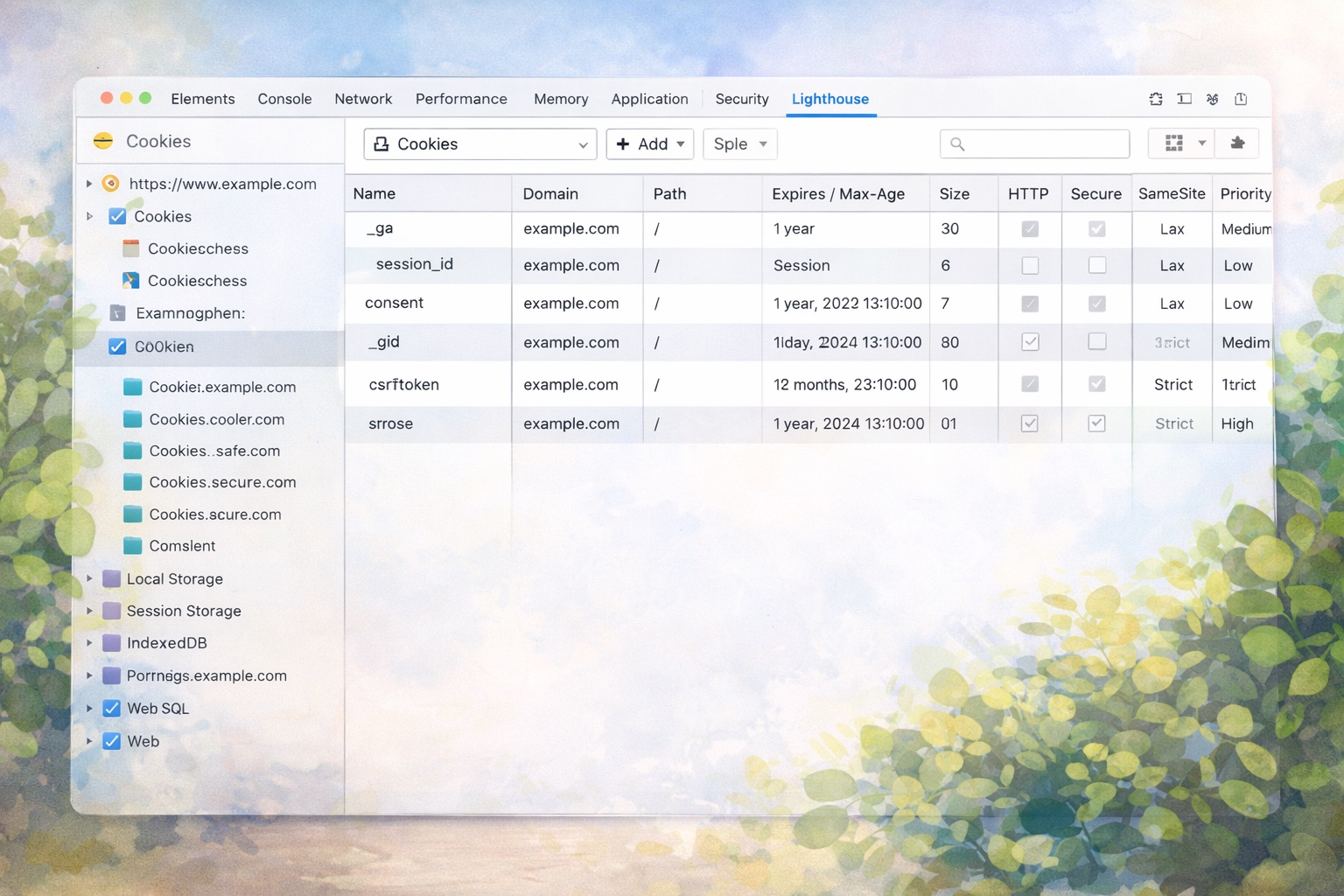
The most critical test is also the simplest. Open your website in a fresh incognito window and check what loads before you touch the cookie banner.
Using Chrome DevTools:
- Open an incognito window (Ctrl+Shift+N or Cmd+Shift+N)
- Press F12 to open DevTools and go to the Application tab
- Click Cookies under Storage in the left sidebar
- Now navigate to your website
- Before clicking anything on the cookie banner, check what cookies have been set
Any non-essential cookies that appear before you interact with the banner are a violation of the ePrivacy Directive Article 5(3), which requires consent before storing cookies on a user's device. This exact violation cost SHEIN EUR 150 million in September 2025, when the CNIL found that advertising cookies were deposited the moment users landed on the website.
Using the Network tab:
- Switch to the Network tab in DevTools
- Refresh the page
- Click on any request and open the Headers tab
- Look for
Set-Cookieheaders in responses, these show cookies being set - Filter by third-party domains (any domain that does not match yours)
Step 2: Categorize Every Cookie
Once you have a full list of cookies, categorize each one:
Strictly necessary cookies are exempt from consent requirements. These include session IDs, CSRF tokens, authentication cookies, and load balancer cookies. They are essential for the website to function.
Functional cookies remember user preferences like language or display settings. These require consent because the site can work without them.
Analytics cookies track user behavior and site performance. Google Analytics cookies (_ga, _gid, _gat) are the most common. These always require consent.
Marketing and advertising cookies track users across websites to build interest profiles and serve targeted ads. These include Google Ads (_gcl_au), Facebook Pixel (_fbp), and DoubleClick (IDE). These carry the highest regulatory risk and always require consent.
For each cookie, document: the name, the domain (first-party or third-party), its purpose, how long it lasts, and whether it is disclosed in your cookie policy.
Step 3: Test Your Cookie Banner
A cookie banner that looks compliant is not the same as one that works. Regulators test actual browser behavior, not banner design. Here is what to check:
Test the reject button. Click "Reject All" and then check DevTools to see if non-essential cookies are still present. Approximately 60% of "Reject All" buttons do not actually block cookies. The SHEIN case proved that regulators verify this.
Test consent withdrawal. Accept cookies, then try to withdraw your consent using the cookie settings. Check whether cookies stop being read. In the Orange case (EUR 50 million, November 2024), cookies continued transmitting data even after consent was withdrawn.
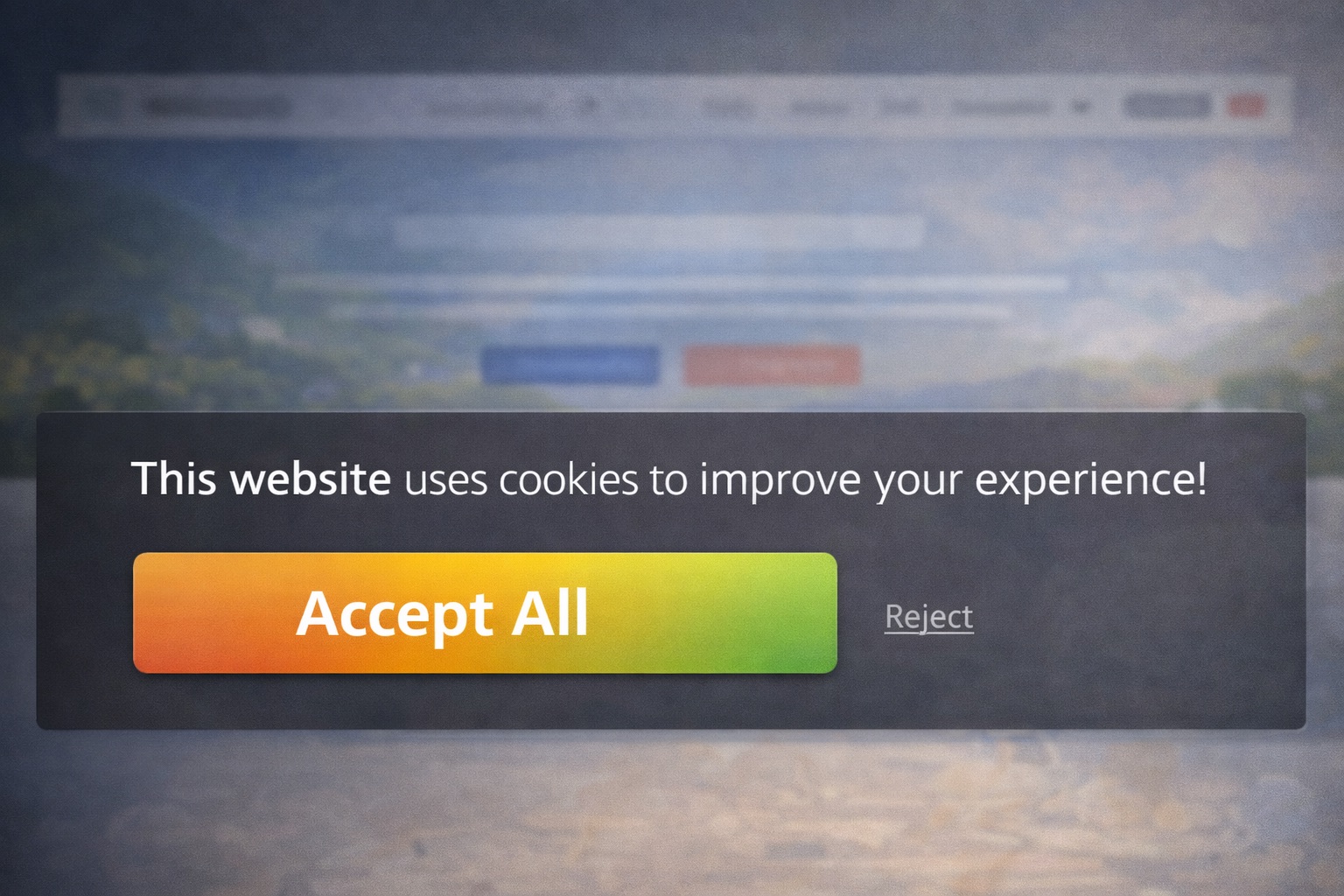
Check for dark patterns. Is the "Accept" button larger, more colorful, or more prominent than "Reject"? Does rejection require more clicks than acceptance? Are non-essential cookie categories pre-checked? Sweden's privacy authority IMY issued formal reprimands to ATG, Aller Media, and Warner Music in April 2025 specifically for deceptive button sizing and color contrasts.
Verify equal access. Under the EU Digital Omnibus Proposal (November 2025), users must be able to refuse cookies with a single click. If your banner requires users to click through "Manage Preferences" to reject, you are already behind the curve.
Step 4: Check Your Cookie Policy
Compare what your cookie policy says against what your audit actually found. Common gaps include:
- Cookies that exist on the site but are not listed in the policy
- Vague descriptions like "improving your experience" instead of specific purposes
- Missing third-party cookie providers
- Outdated cookie names or durations
- No mention of how to withdraw consent
GDPR Article 13 requires that you disclose the recipients and third parties processing data through your cookies. Article 12 requires this information to be concise, transparent, and easily accessible.
Step 5: Fix What You Find
Prioritize fixes by risk level:
Fix immediately: Pre-consent cookie loading, missing or broken reject options, and consent mechanisms that do not work. These are the violations that trigger the largest fines.
Fix within one week: Dark patterns, asymmetric buttons, and pre-checked cookie categories. These are increasingly targeted by regulators, especially after Sweden's April 2025 crackdown.
Fix within one month: Undisclosed cookies in your policy, missing cookie descriptions, and excessive cookie durations.
Ongoing: Remove cookies that serve no documented purpose. Replace third-party analytics with privacy-friendly alternatives where possible. Minimize the total number of cookies your site sets.
After fixing issues, update your cookie policy to reflect the current state of your website. For each cookie, list: name, provider, purpose, type, and duration.
How Often Should You Audit?
A one-time audit is not enough. New cookies can appear whenever you add a plugin, update your CMS, launch a marketing campaign, or integrate a third-party tool.
Recommended schedule:
- Automated weekly scans to catch new cookies as they appear
- Full manual review every quarter
- Immediate audit after any website change: new features, new integrations, CMS updates, or marketing campaign launches
- Regulatory checkpoints whenever new privacy laws take effect (US states add new laws every January and July)
The UK's ICO demonstrated the impact of consistent auditing in 2025. They reviewed the top 1,000 UK websites and found that 67% were non-compliant. After systematic enforcement, compliance rose to 95% by December 2025.
The Automated Alternative
Manual audits using browser DevTools work, but they are time-consuming and easy to get wrong. You need to check every page, not just the homepage. You need to test on different devices. And you need to repeat the process regularly.
Automated cookie scanning tools do this for you. They crawl your entire site, identify every cookie and tracker, categorize them, flag pre-consent violations, and generate reports you can use to demonstrate compliance under GDPR Article 5(2).
Scan your website for free to see exactly what a compliance audit would find. It takes 30 seconds and shows you pre-consent cookies, trackers loading before consent, and banner issues, the same things a regulator would check.
The Clock Is Ticking
The EU Digital Omnibus Proposal will soon integrate cookie rules directly into the GDPR through a new Article 88a, making single-click rejection mandatory and introducing a six-month cooldown before re-asking for consent. Browser-level consent signals under Article 88b could eventually replace per-site cookie banners entirely.
These changes are expected to take effect in mid-to-late 2026. The time to audit your website is before regulators come knocking, not after. Start with a free cookie scan and find out where you stand today.
Is Your Website Compliant?
Scan your website for free and find out if your cookie banner meets GDPR requirements.
Scan Your Website - Free